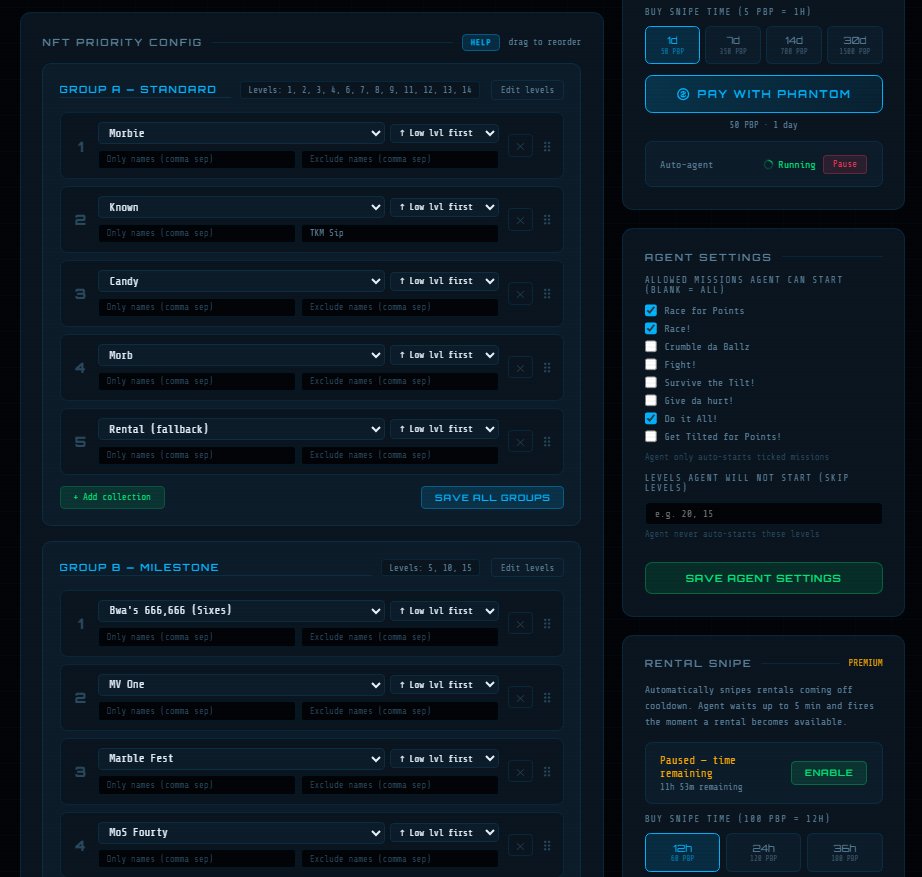
GROUPS
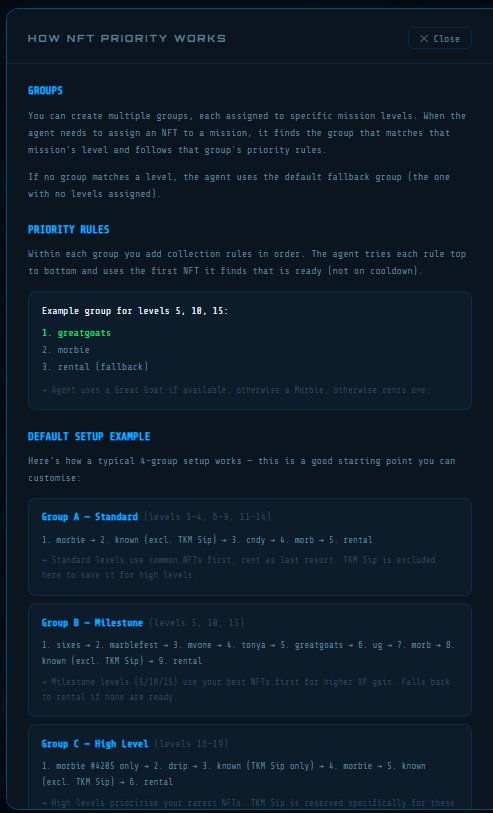
You can create multiple groups, each assigned to specific mission levels. When the agent needs to assign an NFT to a mission, it finds the group that matches that mission's level and follows that group's priority rules.
If no group matches a level, the agent uses the default fallback group (the one with no levels assigned).
PRIORITY RULES
Within each group you add collection rules in order. The agent tries each rule top to bottom and uses the first NFT it finds that is ready (not on cooldown).
Example group for levels 5, 10, 15:
1. greatgoats
2. morbie
3. rental (fallback)
→ Agent uses a Great Goat if available, otherwise a Morbie, otherwise rents one.
DEFAULT SETUP EXAMPLE
Here's how a typical 4-group setup works — this is a good starting point you can customise:
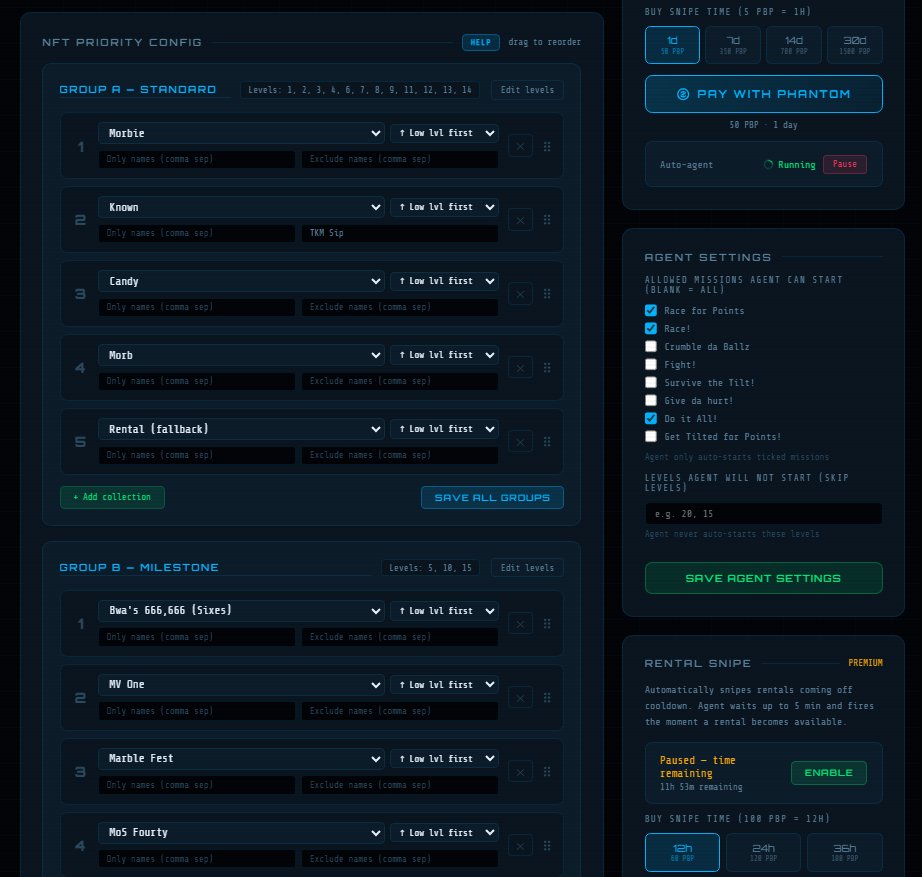
Group A — Standard (levels 1–4, 6–9, 11–14)
1. morbie → 2. known (excl. TKM Sip) → 3. cndy → 4. morb → 5. rental
→ Standard levels use common NFTs first, rent as last resort. TKM Sip is excluded here to save it for high levels.
Group B — Milestone (levels 5, 10, 15)
1. sixes → 2. marblefest → 3. mvone → 4. tonya → 5. greatgoats → 6. ug → 7. morb → 8. known (excl. TKM Sip) → 9. rental
→ Milestone levels (5/10/15) use your best NFTs first for higher XP gain. Falls back to rental if none are ready.
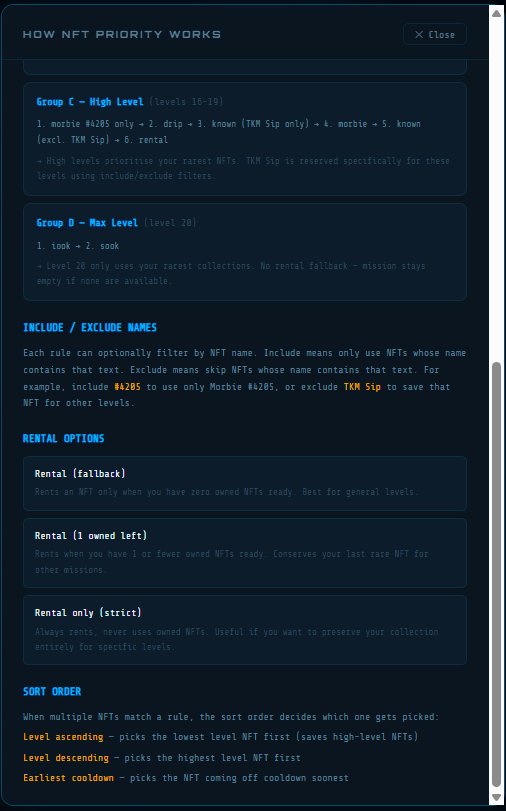
Group C — High Level (levels 16–19)
1. morbie #4205 only → 2. drip → 3. known (TKM Sip only) → 4. morbie → 5. known (excl. TKM Sip) → 6. rental
→ High levels prioritise your rarest NFTs. TKM Sip is reserved specifically for these levels using include/exclude filters.
Group D — Max Level (level 20)
1. iook → 2. sook
→ Level 20 only uses your rarest collections. No rental fallback — mission stays empty if none are available.
INCLUDE / EXCLUDE NAMES
Each rule can optionally filter by NFT name. Include means only use NFTs whose name contains that text. Exclude means skip NFTs whose name contains that text. For example, include #4205 to use only Morbie #4205, or exclude TKM Sip to save that NFT for other levels.
RENTAL OPTIONS
Rental (fallback)
Rents an NFT only when you have zero owned NFTs ready. Best for general levels.
Rental (1 owned left)
Rents when you have 1 or fewer owned NFTs ready. Conserves your last rare NFT for other missions.
Rental only (strict)
Always rents, never uses owned NFTs. Useful if you want to preserve your collection entirely for specific levels.
SORT ORDER
When multiple NFTs match a rule, the sort order decides which one gets picked:
Level ascending — picks the lowest level NFT first (saves high-level NFTs)
Level descending — picks the highest level NFT first
Earliest cooldown — picks the NFT coming off cooldown soonest